Before You Install
The Nebula Touch file is linked in the download area above. It is an XAPK file of about 10.09 MB that opens in a new tab when the countdown ends. A search for nebula touch download leads to this same page: the file link is here, and the install steps below explain what happens after it downloads.
How Installation Works
Android's default installer does not install an XAPK bundle directly, so an installer app is needed to install this file.
- Tap the download link when it appears on this page.
- Open the downloaded file with an installer app.
- Install it in the installer app. If Android asks, allow installs from the installer app for this one install.
- Open Nebula Touch, grant the permissions the setup asks for, and create your first game profile.
After Installing
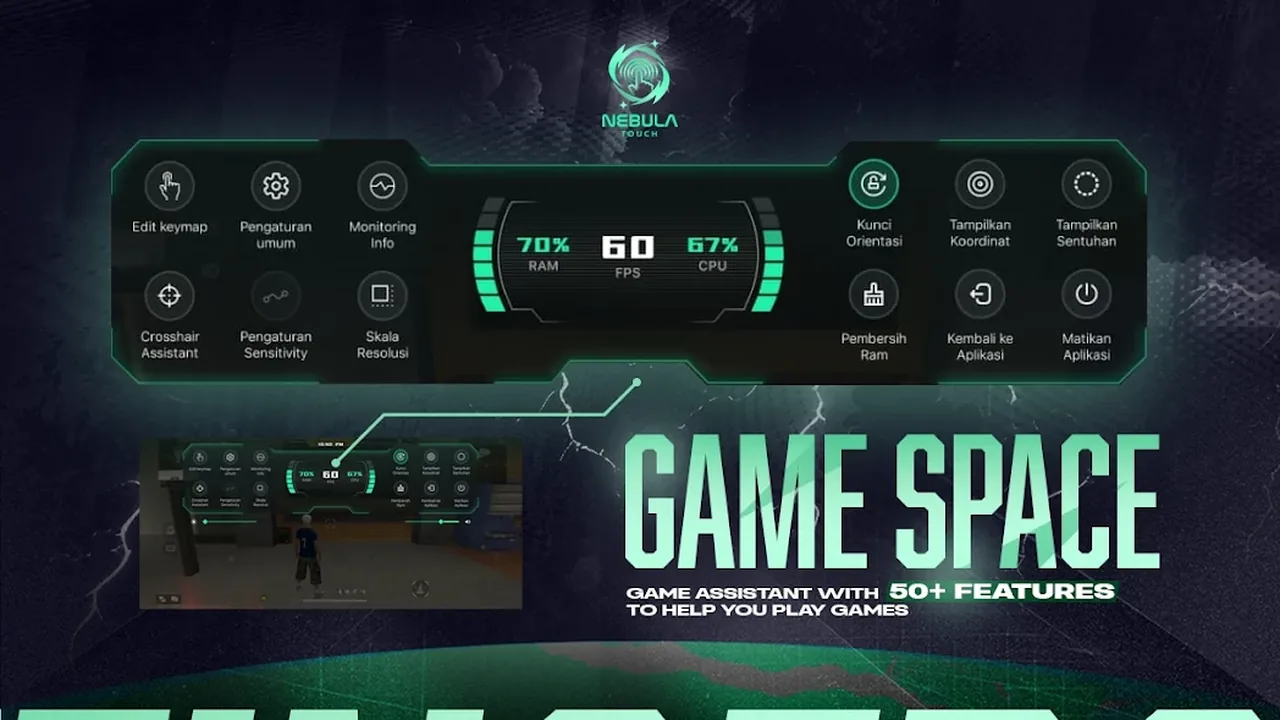
After installing, check that the tool opens to the Game Space screen. Then grant the overlay and accessibility permissions, switch battery optimisation off for the app, and test one profile in a practice match before a ranked one.
If Something Goes Wrong
If a profile stops applying mid match, check that the system has not closed the app in the background, and re open Nebula Touch to confirm the right game profile is active.
If the file will not install at all, check that your phone has free storage, that the download finished fully, and that your Android version meets the minimum in the APK Details table.